3D Bolt Group Documentation

Complete reference for the 3D Bolt Group analysis tool — coordinate setup, loading inputs, and results interpretation.

Overview

3D Bolt Group Analysis

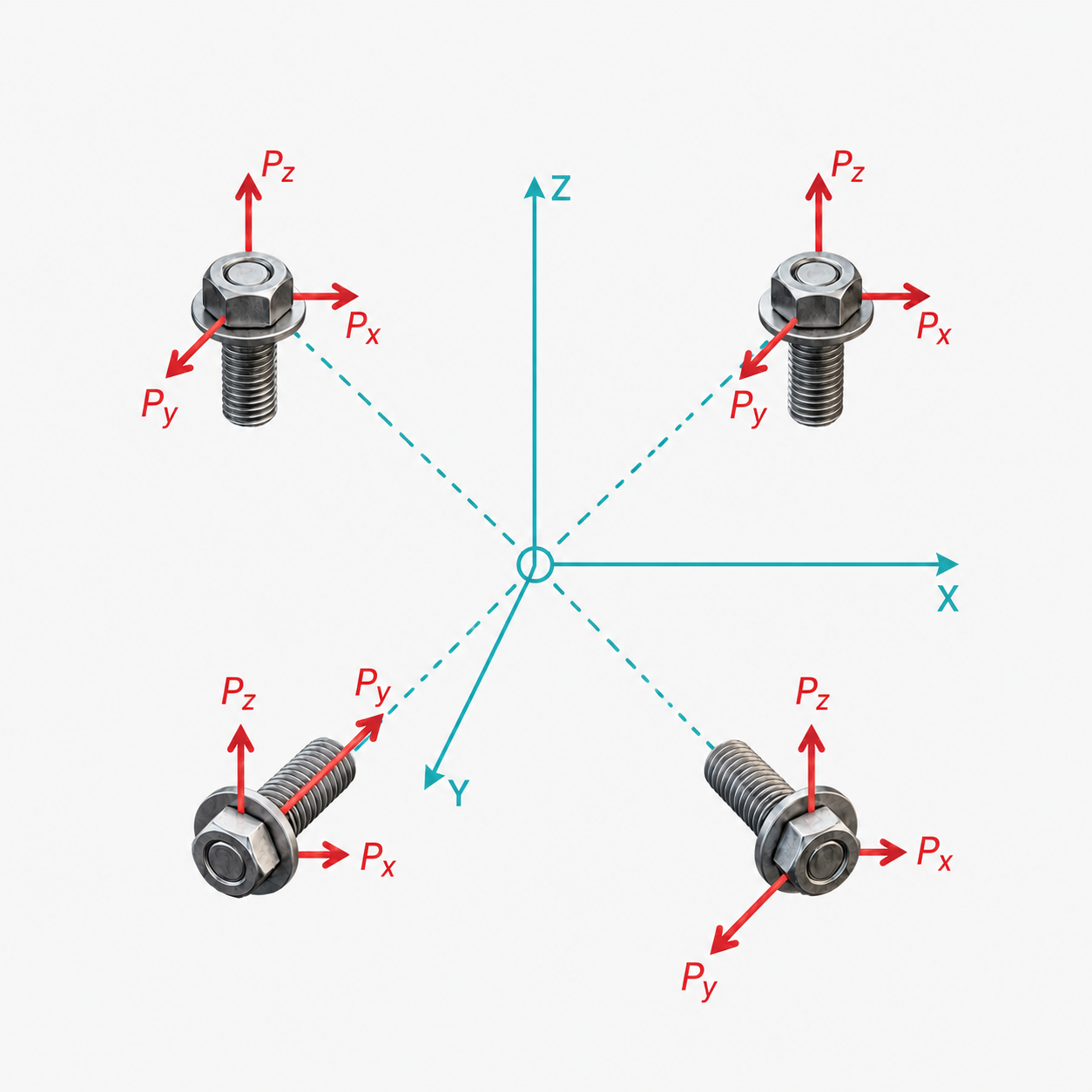
The 3D Bolt Group tool performs a rigorous failure analysis of generic fastener patterns in 3D space. It uses a rigid-body stiffness matrix formulation to compute the reaction loads at each fastener based on its location and relative stiffness.

This tool is essential for determining how applied forces and moments distribute across a pattern of bolts, rivets, or other fasteners, allowing engineers to size the fasteners appropriately.

Stiffness Matrix

Assembles a 6×6 global stiffness matrix considering the relative stiffnesses (kx, ky, kz) and coordinates of all fasteners.

Reaction Loads

Resolves applied loads to the group centroid and distributes them to fasteners as shear and axial reactions.

Shared Laminate Builder

Laminate Properties

Input Allowables Format

Toggle between Strain (με) and Stress (ksi). Values in the stack and limits will convert on-the-fly.

NameET1 (Msi)EC1 (Msi)ET2 (Msi)EC2 (Msi)G12 (Msi)ν12t (in)σ₁t (ksi)σ₁c (ksi)σ₂t (ksi)σ₂c (ksi)σ₁₂s (ksi)r_c Tens (in)r_c Comp (in)K_br TensK_br Comp
Save as Custom Preset

Save the current material properties under a name so you can reuse them without re-entering values.

Quick Add Ply Angle
Bulk Add Plies
@
Ply Stack 0 plies
Use the quick-add buttons above to build your layup stack.
Total Thickness:0 in